
Back again, for another post on how you can squeeze your installer size down a little further.
Last time we looked at differences in the compression algorithms used to compress *.cab files with your MSI install, and the benefits this could offer. Today we look at a few other things that can shave off a few kilobytes of payload size by making other tweaks to your project file.
InstallScript Projects
An InstallScript project offers few options for extra compression, beyond creating a single *.exe file, or selecting to compress the compiled *.inx file.
Setup Prerequisites
Available in both MSI and InstallScript project types, these require a setup.exe file (which itself adds a small amount of overhead), however, can be configured to be downloaded from a publicly available URL. This allows end users to pull redistributables from their original vendor sources, instead of making your installer bigger through the use of Merge Modules or Prerequisites.
This is significant if your concern is bandwidth on your hosting site, rather than the download time for your end users.
Windows Installer/.Net Engine Redistributables
Similarly, a Release Configuration has the capability to include .Net or the Windows Installer redistributables. As before, these can be excluded or set to download from the Web when necessary.
When taking the approach of excluding the redistributables outright, it’s possible to instead rely on an Install Condition (MSI project) or a Script-based check in MSI projects to prevent the installation from continuing. For further details on this, see the help topic on the System Search Wizard.
Setup.exe bootstrapper for MSI Projects
While at present this only adds approximately one megabyte, you should choose carefully whether or not you will need to create this in your setup. Primarily, using a setup.exe provides Prerequisite functionally, as well as setup localization. But as well, setups that require elevation before the user interface is shown on UAC Enabled OS’s accomplish this via an Application Manifest inside setup.exe.
Dialog Bitmaps
If you find yourself getting down to the last few bytes to be wrung from an installer, Bitmaps on a dialog are a candidate, either for removal or optimization as JPEG files.
Custom Actions
Another candidate when there’s very little left to trim. In Windows Installer Projects, you can eliminate some overhead by finding ways of avoiding custom actions by cleverly using features in Windows Installer to accomplish certain tasks. A few bytes might also be saved via Dynamic Linking of C++ *.dll actions, however, I would exercise caution when doing so.
MoveFile, DuplicateFile, other MSI tables
If you have one file that needs to exist in several locations, there is no sense in including the same binary 5 times. Windows Installer gives you the tools to do this, accessed via the InstallShield Direct Editor.
It is also possible that there are binary streams within the package that are no longer being used by a dialog or other resource in the Installation. You can check for these and safely remove them by looking at the following tables, selecting the Primary Key of each record, and searching for foreign key references elsewhere in the database. In the absence of a reference, you can remove the record that builds the stream into your finished MSI Package:
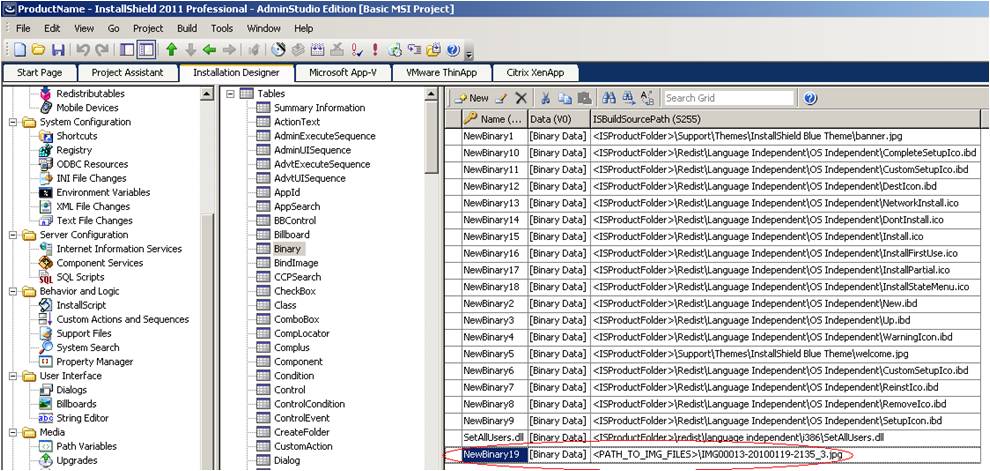
‘NewBinary19’ in this screenshot gives no hits when searching through the project. This is a broken reference, and can be removed from the Binary table to save space.

InstallShield
Create native MSIX packages, build clean installs, and build installations in the cloud with InstallShield from Revenera.
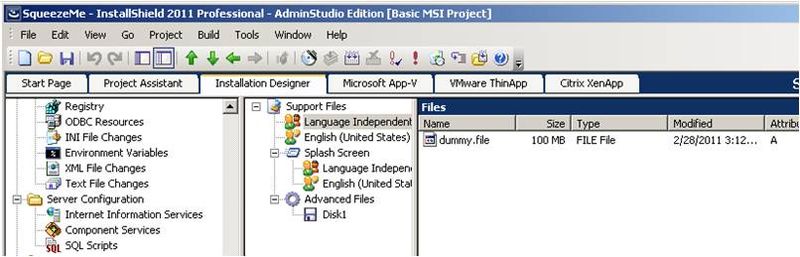
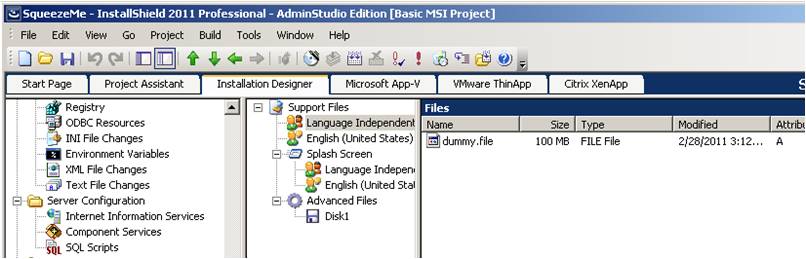
Similarly, a review of any Support Files could identify other files no longer needed:
Web Download Windows Installer Package
The Web-based release type works by having a Setup.exe file download and run an *.msi package using its SourceDir property has a URL. Segmenting the package into many cab files allows the installer to only download the relevant bits from the Web server instead of the entire installer package. For more information, see the documentation for the Release Wizard, which exposes the Web Release type.
Next time we'll discuss some third-party tools that can help descrease the payload size as well.